Category: Productivity

  • Lua Beautifier: Format Lua Code Free in Your Browser

    Lua Beautifier: Format Lua Code Free in Your Browser

    Header: Browser-based Lua beautifier turning messy code into clean, readable format

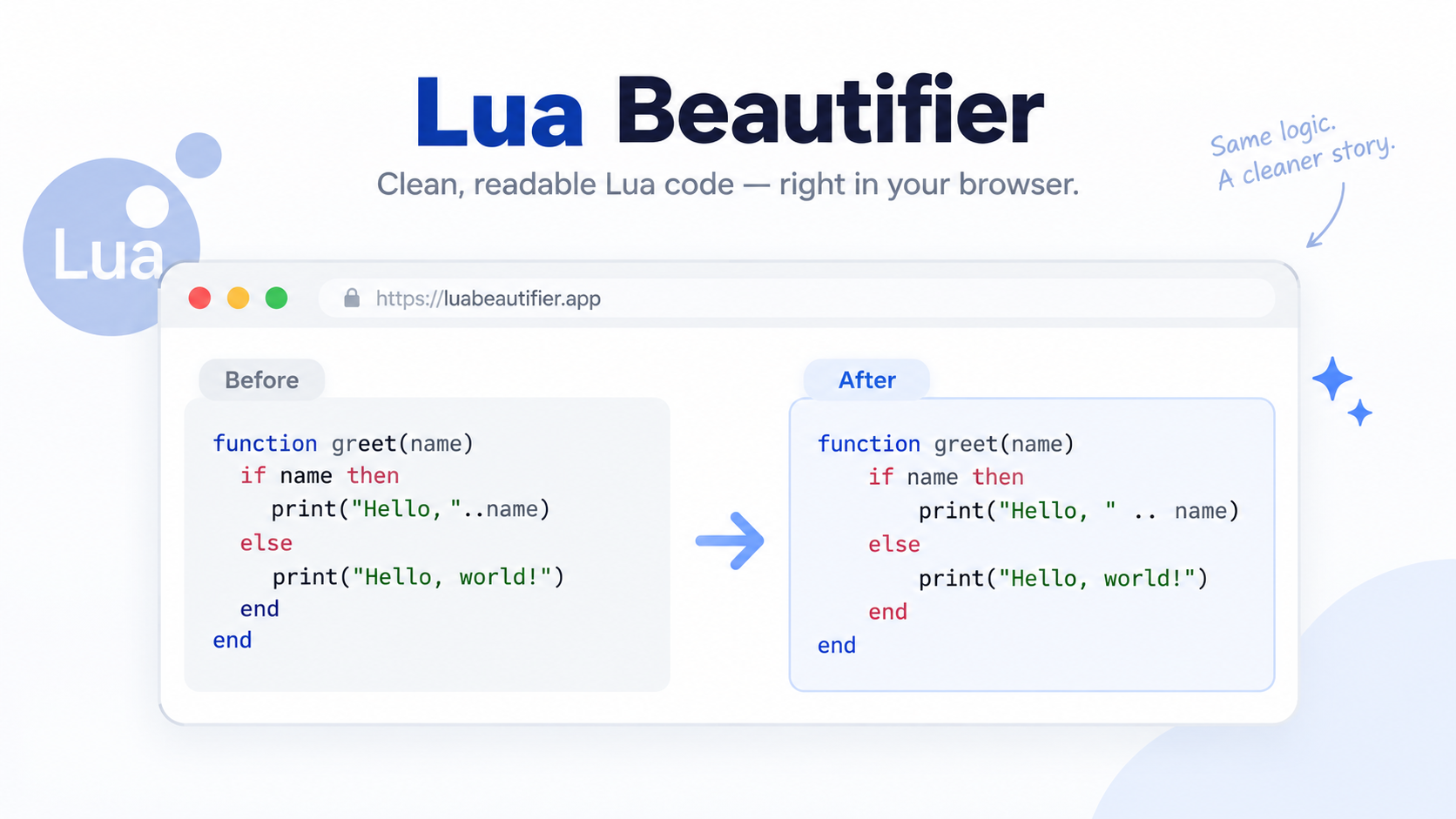
    A Lua beautifier — also called a Lua formatter or pretty-printer — rewrites Lua source into clean, consistent indentation and spacing without changing how the code runs. In 2026, most are free browser tools that format pasted Lua 5.5, LuaJIT, or Luau code locally, while editors can auto-format Lua on save.

    How to Beautify Lua Code in 3 Steps

    The browser workflow is short: paste, configure, take the result back.

    Step 1 — paste. Drop raw Lua into the online Lua beautifier. No account, no install, no download. The code stays in the tab you pasted it into.

    Step 2 — configure. Choose your indentation before you format: 2 spaces, 4 spaces, or tabs. Two spaces is the common default in Lua and Luau codebases, so stick with it unless a project’s existing style says otherwise.

    Step 3 — copy or download. Run the format, then copy the output straight back into your editor or download a .lua file. That’s it.
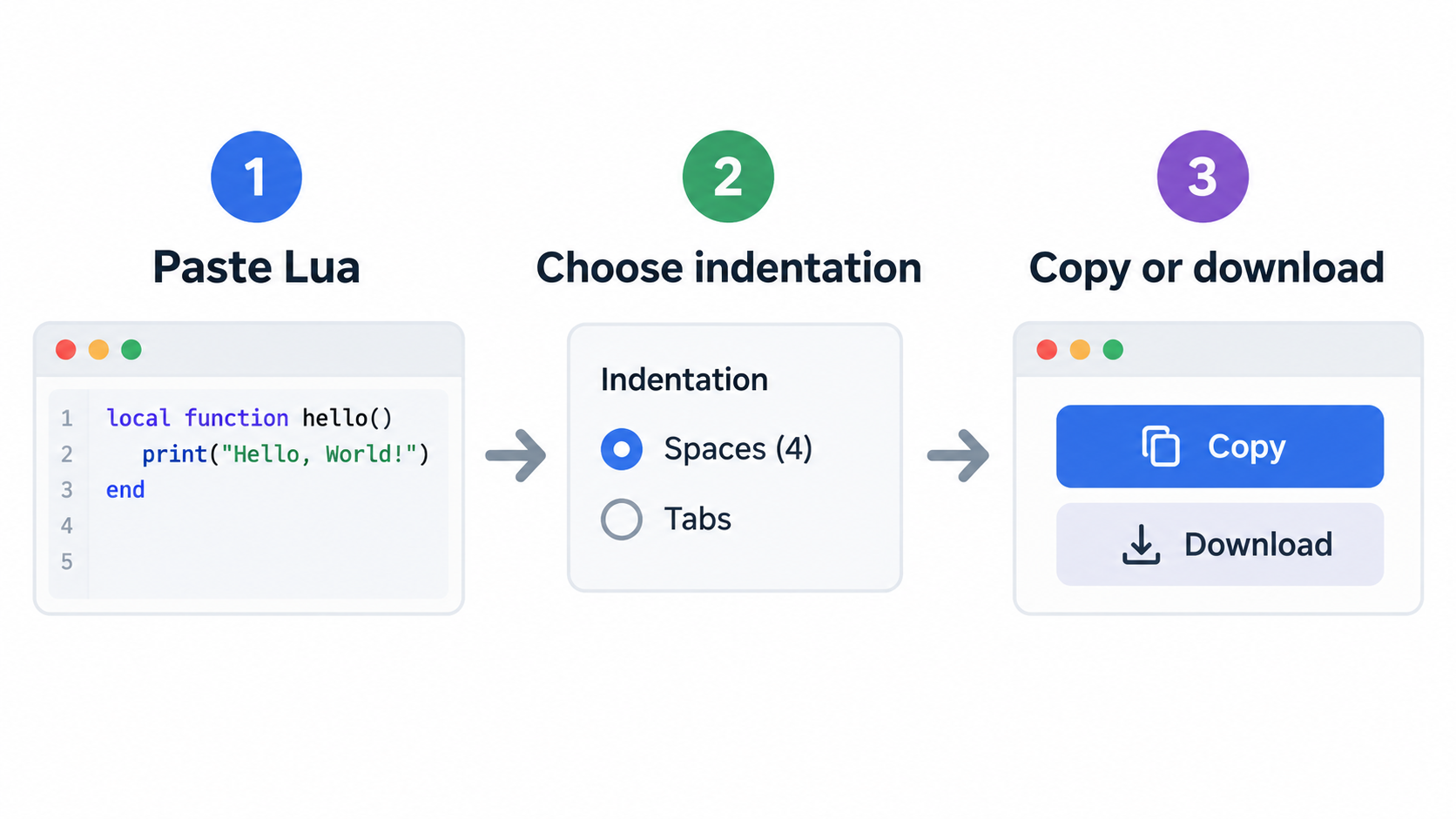
    Three-step browser workflow: paste, configure, copy or download

    Does the Lua beautifier upload my code?

    It depends on the tool, and the privacy-first pattern is worth looking for explicitly. Browser formatters that process locally state no upload and no account required, and they cap in-browser preview length rather than server-side file size — Phoenix Code’s HTML formatter (updated September 28, 2026) puts that ceiling at 2,000,000 characters and runs the formatting client-side, which is the same pattern a Lua tool can follow. Before you paste proprietary code, look for a local-processing statement instead of trusting a generic “secure” badge.

    What you get back: copy, download, or paste straight into your editor

    The output is plain text, so it goes into whatever you already have open. Copy it into the file you were editing, or download a .lua file and drop it beside the project. When the input is production code, diff the result against the source first and confirm that only whitespace moved.

    A full Lua parser fits in a web page because Lua itself is small. According to Lua.org, the Lua 5.5.1 tarball — source code plus documentation — is 390K compressed and 1.5M uncompressed, around 32,000 lines of C. That’s a reasonable payload for a client-side tool.

    What a Lua Beautifier Changes — and What It Leaves Alone

    A beautifier normalizes indentation, spacing around operators, blank lines, and line breaks. It does not rename, reorder, evaluate, or delete code.
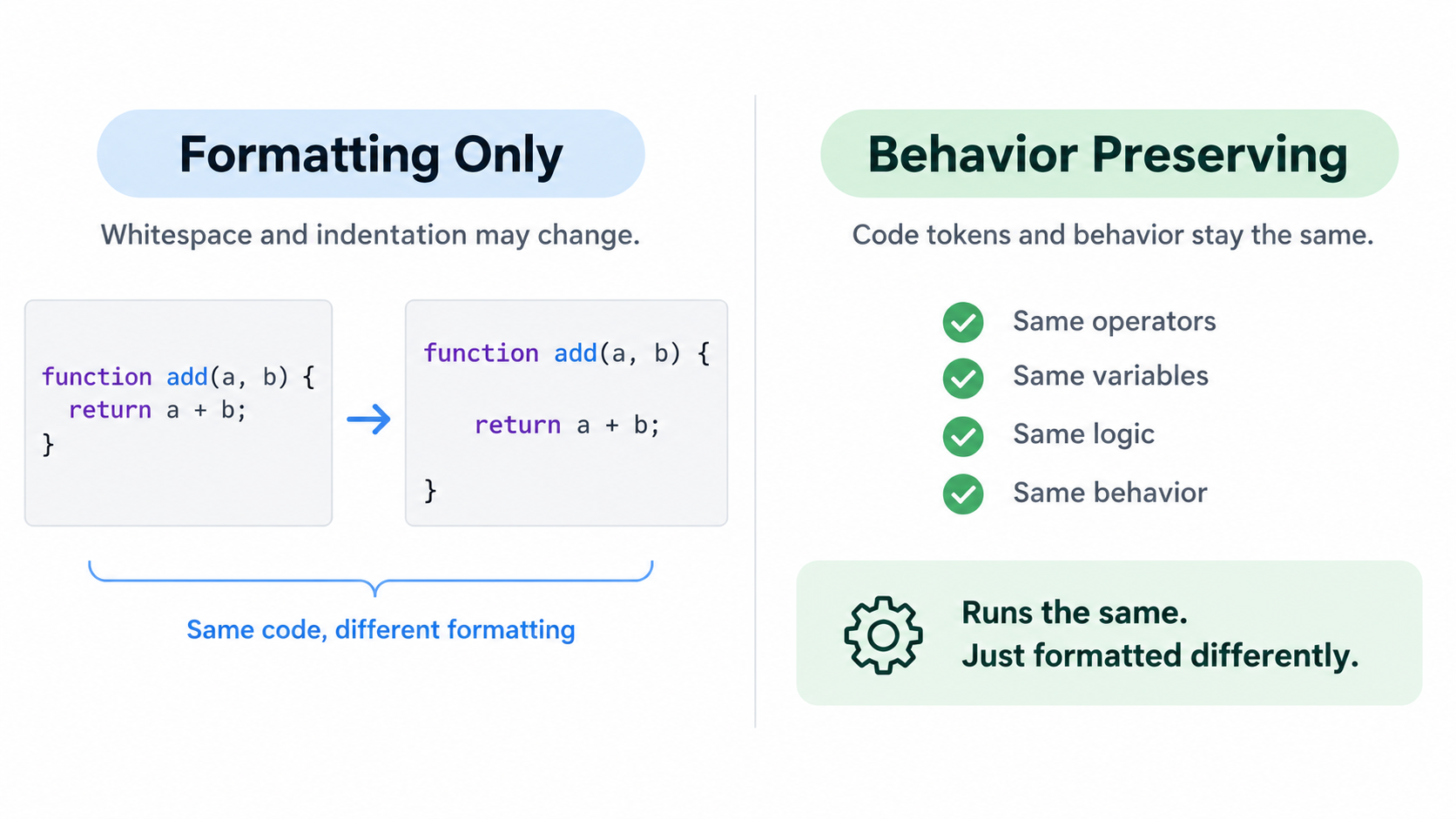
    Clear split between whitespace changes and code behavior left untouched

    That behavior-preserving property is structural, not a promise: the token stream is untouched and only the whitespace between tokens moves. A file that formats cleanly should produce byte-identical output when it runs.

    It also won’t find syntax errors or logic bugs. That’s a validator’s or a linter’s job, and the strongest formatter-shaped tools draw that line explicitly. Phoenix Code states the distinction in one sentence — a formatter changes whitespace, a validator checks conformance, and a browser parser may infer missing elements and repair a document tree. The same split applies to Lua.

    Long bracket strings ([[ ... ]]) and long comments (--[[ ... ]]) have to be preserved byte-for-byte, for the same reason formatters protect raw-content regions in HTML: the text inside is literal, and re-indenting it changes rendered output.

    Is a Lua beautifier the same as a Lua formatter, minifier, or validator?

    A beautifier and a formatter are the same job under two names — rewriting whitespace for readability. “Beautifier” usually implies re-expanding something minified or unreadable, but the implementation is identical.

    A minifier does the opposite: it strips whitespace to shrink the file. A validator neither reflows nor shrinks; it reports whether code conforms to a syntax or rule set, and it leaves your layout alone.

    Beautifier vs. linter vs. AI code generator

    A linter reports suspicious or incorrect code without changing layout. An AI code generator is a different category again: it writes new Lua from a description rather than rearranging Lua you already have. Zenifiq’s Lua generator page makes the limitation plain — generated code still has to be verified, because the tool cannot test against your host and won’t keep pace with API changes.

    So the division of labor is: the beautifier reflows, the linter inspects, the generator authors.

    Which Lua Do You Have: Lua 5.5, LuaJIT, or Roblox Luau?

    Lua.org describes Lua as “a powerful, efficient, lightweight, embeddable scripting language” that supports procedural, object-oriented, functional, data-driven, and data-description styles. That breadth is exactly why one canonical layout can’t fit every Lua file — and why the answer to “which beautifier” depends on which grammar you pasted.

    Plain Lua 5.x — the current line is 5.5.x — is the baseline grammar most beautifiers target first. LuaJIT is the runtime behind Neovim’s init.lua and LÖVE2D, and its accepted syntax is a superset-with-caveats of standard Lua. Roblox Luau adds type annotations, continue, and changed standard-library behavior, so a formatter tuned only for plain Lua can mangle or reject Luau type syntax outright.
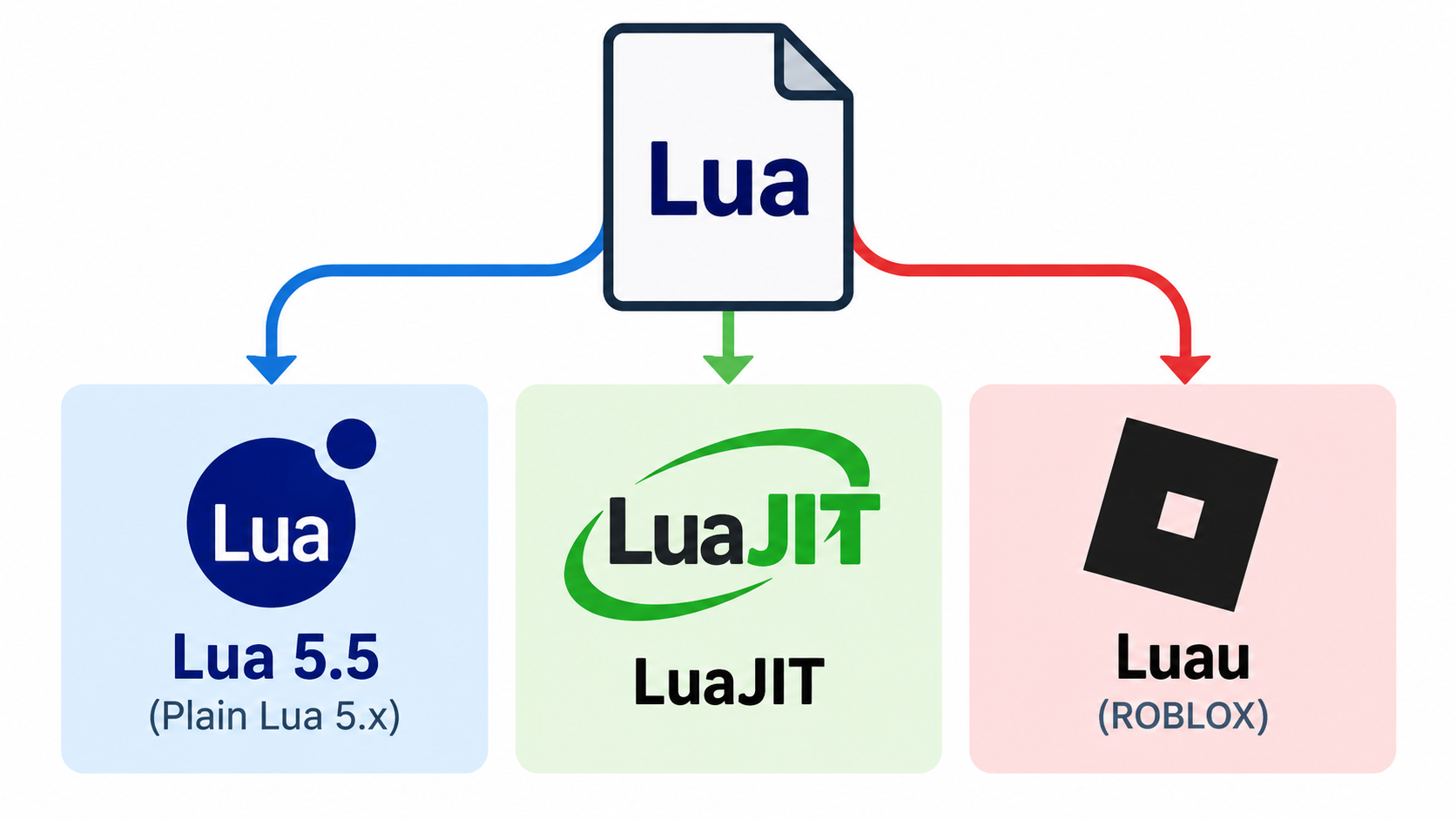
    Three Lua dialects: plain Lua 5.x, LuaJIT, and Roblox Luau

    Lua has existed since 1993 and was profiled at HOPL III in 2007, so no single frozen grammar covers every file a reader will paste into a box.

    What host is your Lua embedded in? Roblox, Neovim, LÖVE2D, Redis, or standalone

    Lua is almost always embedded, and the host API — not the syntax — decides what a script can do. Roblox runs Luau. Neovim uses Lua for configuration. LÖVE2D drives games with it. Redis exposes redis.call with KEYS and ARGV as the only way in. Formatting expectations differ per host: the type annotations a Roblox team expects carry no meaning inside a Redis script.

    Real embedded Lua can be long and unusual. On the darktable forum, a user wrapped image tagging in a Lua script that scores every photo against a fixed vocabulary of roughly 1,000 labels — the 365 scene categories of Places365 plus the 601 object classes of OpenImages V7 — then rewrote it to run purely in Lua against imported .dtmodels files with no Python involved. Scripts at that scale are exactly where formatting stops being cosmetic.

    Roblox Luau: type annotations a plain Lua beautifier may not expect

    Luau is not Lua with a different name. It adds a type system and its own features, and some standard Lua behavior is absent. A formatter built for plain Lua may treat local x: number = 1 as a syntax error, or strip the annotation because it doesn’t recognize the construct.

    Check the tool’s stated dialect coverage before pasting Luau, and treat “supports Lua” as an unverified claim until you’ve tested a typed snippet. A dedicated Luau formatter handles the typed grammar natively, and a one-line annotation test tells you more than a feature list does.

    Who maintains Lua — and why the MIT license matters for browser tools

    Lua is designed, implemented, and maintained by a team at PUC-Rio, the Pontifical Catholic University of Rio de Janeiro in Brazil, and is now housed at LabLua within the university’s Department of Computer Science. It’s free open-source software under the MIT license and may be used for any purpose, including commercial purposes, at no cost.

    That licensing is what makes a client-side beautifier straightforward: a browser tool can ship a Lua parser without navigating a restrictive redistribution term.

    Lua Beautifier Settings That Actually Matter

    Most options are cosmetic. A few change how readable your code stays in version control.

    The clearest model for a Lua beautifier’s option set is a formatter UI that exposes indentation, wrapping, and preserve-newline controls directly rather than burying them in a config file.

    2 spaces, 4 spaces, or tabs: picking a Lua convention

    Two spaces is the common default in Lua and Luau codebases. Four spaces shows up in many C-adjacent and game-engine shops. Tabs render at whatever width a reader’s editor is set to, which makes diffs inconsistent across machines.

    Match the file you’re editing before you format a project file. Converting a whole file from 4 spaces to 2 is safe but produces a diff with no review value.

    Wrapping, alignment, and the preserve-newlines setting

    Set a max line width, or leave lines untouched. If you hand-grouped a table across multiple lines for a reason, enable the preserve-existing-newlines option — otherwise a formatter may collapse the grouping into one long line.

    Keep long bracket strings and long comments verbatim; reflowing inside [[ ]] can change rendered output. Trailing whitespace removal and a single final newline are cosmetic, safe, and worth turning on. When the input is production code, look at the preview or diff before you copy.

    Format Lua on Save: VS Code, Neovim, and CLI Without a Web Tool

    A browser tool handles a one-off paste. Once a project has a style worth keeping, wire formatting into the editor so it happens without a decision.

    VS Code: Lua language server plus format on save

    Install a Lua language server, enable format-on-save, and let the server handle indentation on every write. The formatter that runs is the same kind of formatter a browser tool ships — the difference is that it fires automatically instead of on paste.

    Neovim: vim.lsp.buf.format on BufWritePre (and the version trap)

    In Neovim, formatting is wired to BufWritePre, so every :w reformats the buffer:

    vim.api.nvim_create_autocmd('BufWritePre', {
      group = vim.api.nvim_create_augroup('my.format', {}),
      callback = function(ev)
        if #vim.lsp.get_clients({ bufnr = ev.buf, method = 'textDocument/formatting' }) > 0 then
          vim.lsp.buf.format({ bufnr = ev.buf, timeout_ms = 2000 })
        end
      end,
    })
    

    Check versions before writing that config. As of October 2026, per Terminal Skills’ Neovim skill (updated October 1, 2026), vim.pack requires Neovim 0.12, vim.lsp.config and vim.lsp.enable require 0.11, and nvim-lspconfig requires 0.11.3 or newer. The stable line referenced is 0.12.5.

    Migrating off the deprecated require('lspconfig').<server>.setup{} framework means replacing each call with vim.lsp.config (settings) plus vim.lsp.enable (activation), and moving on_attach logic into an LspAttach autocommand. Verify it headlessly:

    nvim --headless -c 'if v:errmsg != "" | cquit 1 | endif' -c qa
    

    Then confirm :checkhealth vim.lsp lists your servers under Enabled Configurations. Follow that documented migration path and the deprecation warning goes away, with the servers appearing there.

    CLI formatters for CI and pre-commit hooks

    For CI and pre-commit hooks, run a standalone Lua formatter — StyLua or LuaFormatter — against a file or a directory, so formatting is enforced before review. The same guidance applies: for editor-agnostic tasks like formatting in CI, call the formatter or linter directly instead of routing through an editor.

    Which route to pick: paste into a browser tool for a snippet you can’t install anything for, and move to format-on-save once a project has a style to keep.
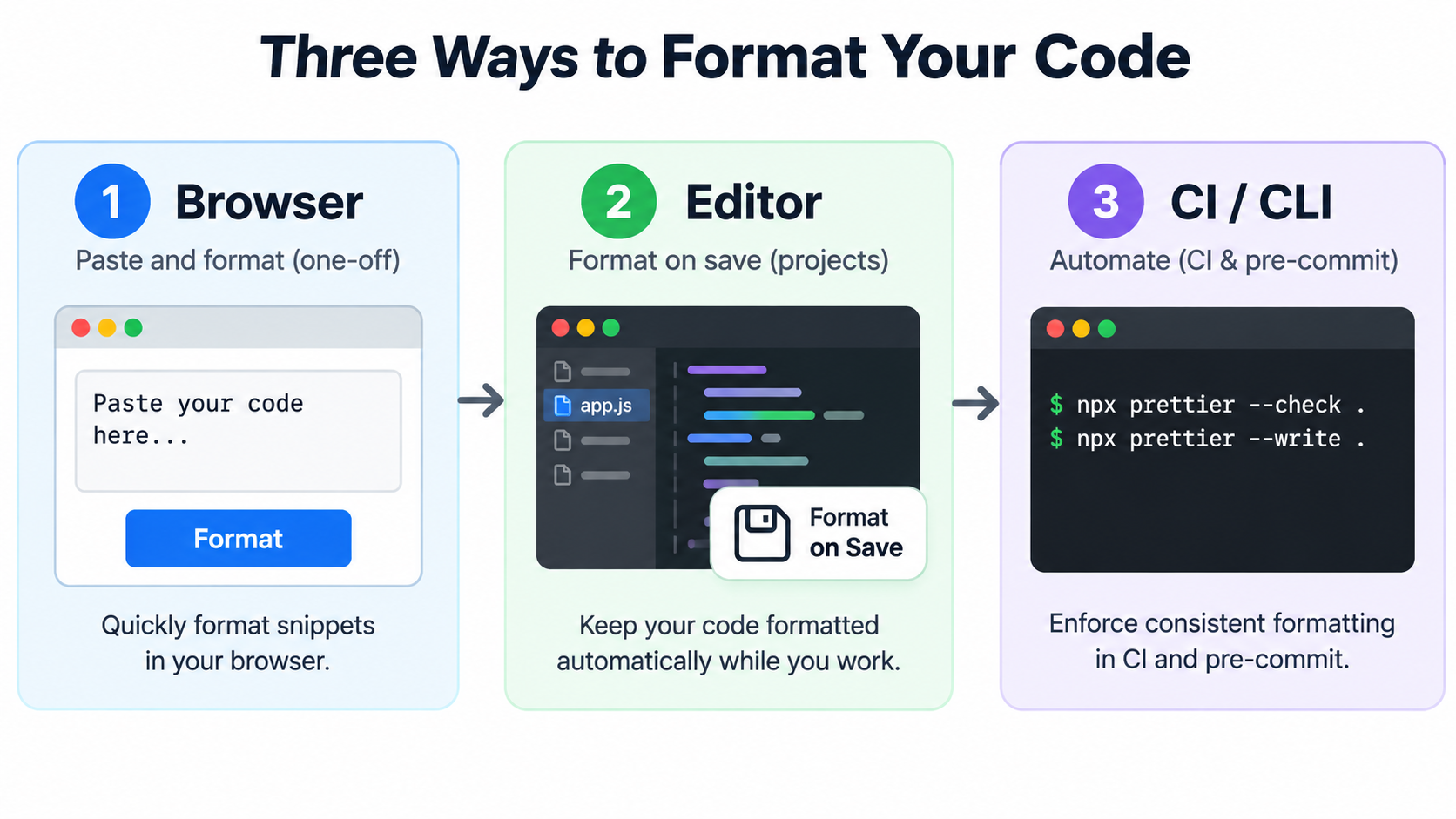
    From one-off browser paste to editor format-on-save to CLI enforcement in CI

    Is Beautifying Lua Safe? nil Gaps, 1-Based Indexing, and Behavior

    Beautifying is safe when it’s purely whitespace-level, and the failure modes worth knowing about are the ones formatting never touches.

    Does beautifying Lua code change how it runs?

    No. Whitespace between tokens is not significant in Lua, so indentation and spacing changes are behavior-preserving by construction. Long strings and long comments must survive verbatim, or embedded text inside them would change — the same guarantee a formatter gives when it protects raw-content regions during transformation.

    Safe doesn’t mean correct, though. A beautifier never fixes nil gaps, indexing errors, or host API misuse.

    What no formatter can fix: nil gaps, 1-based indexing, host API misuse

    Three traps catch newcomers and generated code alike. A table’s length is undefined once the table contains nil gaps. Array indexing starts at 1, not 0. And the host API dictates what any script is allowed to do. Zenifiq’s Lua generator documentation names all three and points at the pattern where they meet: generated Lua that removes items from an array mid-loop.

    A formatter will happily preserve a nil gap inside a table, and #t will still return an unexpected length afterward. Indentation is not a correctness check.

    Formatting also can’t fix architectural problems inside embedded scripts. On the darktable forum, the script’s author warns that tagging hundreds of images at once can freeze the application’s UI — “it is in the end a Lua script” — and another user reports Argus taking about two minutes to prepare its model and Artemis about eight on Windows 11. No beautifier changes that.

    The practical verification is to re-run your tests after formatting, or diff the token stream rather than the text.

    Conclusion

    A Lua beautifier only rewrites whitespace — which is exactly why it’s safe, and exactly why it can’t fix the dialect, version, or semantic problems hiding in your Lua. It solves readability; it does not solve correctness.

    Paste one snippet into a browser Lua beautifier now and confirm which dialect you’re looking at — plain Lua 5.x, LuaJIT, or Roblox Luau. Then, once the style is settled, wire format-on-save into your editor so formatting stops being a manual step and becomes something that happens when the file is saved.

    FAQ

    Is a Lua beautifier the same thing as a Lua formatter or a Lua linter?

    A beautifier and a formatter are the same job under two names: rewriting whitespace for readability. A linter is different — it reports suspicious or incorrect code without changing layout. Most tools keep the two separate, and some offer beautify, minify, and validate as distinct actions.

    Does beautifying Lua code change how it runs?

    No. Whitespace between tokens is not significant in Lua, so indentation and spacing changes are behavior-preserving. Long strings and long comments must be preserved verbatim, or embedded text inside them would change. Safe doesn’t mean correct: a beautifier never fixes nil gaps, indexing errors, or host API misuse.

    Does an online Lua beautifier support Lua 5.4, Lua 5.5, LuaJIT, and Roblox Luau?

    Support varies by tool. Plain Lua 5.x is the usual baseline, and the current line is Lua 5.5.x. LuaJIT (Neovim, LÖVE2D) and Roblox Luau are separate grammars; Luau adds type annotations and changed standard-library behavior. Check the tool’s stated dialect coverage before pasting Luau, and treat “supports Lua” as an unverified claim until you test a typed snippet.

    Is my Lua code uploaded to a server when I use an online beautifier?

    It depends on the tool. The privacy-first pattern is client-side processing entirely inside the browser tab. Browser formatters that advertise local processing state no upload and no account required, and cap in-browser preview length instead of server-side size. For proprietary or NDA-covered scripts, use a local editor or CLI formatter rather than trusting a claim you can’t verify.

    Can I auto-format Lua on save in Neovim or VS Code without a web tool?

    Yes — wire the LSP formatter to a write event: BufWritePre plus vim.lsp.buf.format in Neovim, format-on-save in VS Code. Check versions first: Neovim 0.12 for vim.pack, 0.11 for vim.lsp.config/enable, and 0.11.3+ for nvim-lspconfig as of October 2026. Verify the config headlessly and with :checkhealth vim.lsp so a broken formatter never silently skips a file.

  • How to Quickly Fix Malformed JSON Files: A Developer’s Field Manual

    How to Quickly Fix Malformed JSON Files: A Developer’s Field Manual

    Your API call just failed with JSONDecodeError: Expecting property name enclosed in double quotes. The clock is ticking. The data came from an LLM, and somewhere in that 2,000-token response, a single trailing comma killed your entire pipeline.

    As of May 2026, the fastest way to fix malformed JSON files is to use automated libraries like json_repair (Python) or jsonrepair (npm). These tools are purpose-built to fix LLM-generated syntax errors instantly. For manual repairs, the usual suspects are trailing commas, single quotes, or unquoted keys — the three most common violations of the RFC 8259 standard.

    The Fastest Fix: json_repair for LLM Outputs

    Standard parsers like Python’s json.loads() are strict by design. One misplaced character triggers a JSONDecodeError and everything stops. This is a daily problem in 2026 because LLMs routinely wrap JSON in conversational text, truncate responses mid-sentence, or sprinkle in comments that break the spec.

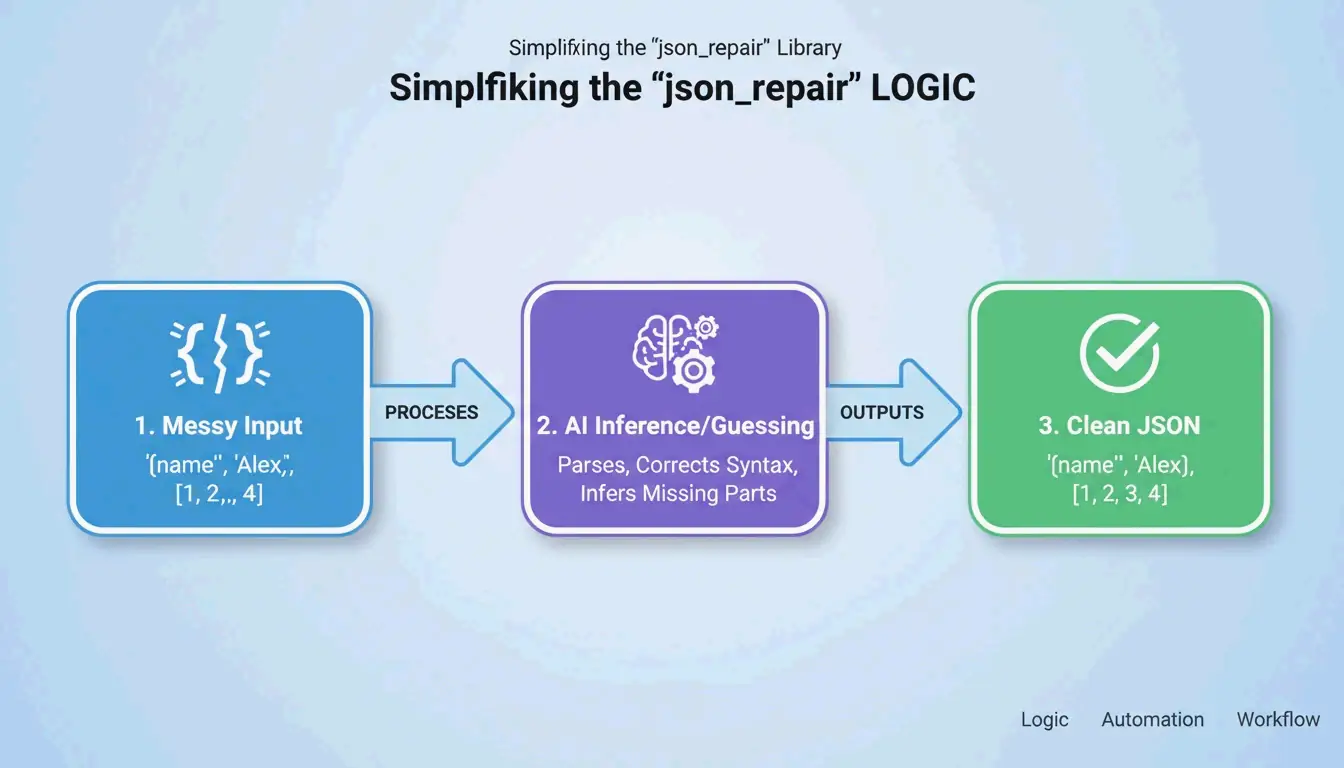
    The json_repair library is the go-to solution. According to GitHub, this project has over 4,700 stars as of 2026. It works by “guessing” the intent of the string — closing missing brackets, adding quotes, and stripping extra text surrounding the JSON block.

    Simple 3-step process of json_repair: Input (Broken) -> Guess Intent -> Output (Valid)

    Python: Before and After

    Install: pip install json-repair

    The broken input:

    import json_repair
    
    bad_json = '{"user": "Alice", "status": tru'
    decoded_object = json_repair.loads(bad_json)
    
    # Output: {'user': 'Alice', 'status': True}
    

    What happened behind the scenes: json_repair saw that tru was likely true, added the missing closing brace, and returned a valid Python dictionary. Zero manual intervention.

    Salvage Mode: When the Data Is Really Ugly

    For tougher cases, json_repair (v0.59.5+) includes a Salvage Mode. As noted in the project documentation, this mode is built specifically for truncated AI responses or corrupted logs. It can force arrays into objects or drop items that are too broken to save, ensuring the output fits your schema.

    import json_repair
    
    # Salvage mode for severely truncated data
    result = json_repair.loads(
        '{"items": [{"id": 1, "name": "Widget"}, {"id": 2, "na',
        salvage_mode=True
    )
    # Result: {'items': [{'id': 1, 'name': 'Widget'}, {'id': 2}]}
    # Dropped the incomplete 'na' but saved everything else
    

    npm Alternative

    For Node.js projects, the jsonrepair CLI handles the same job:

    # Fix a file in place
    npx jsonrepair broken.json > fixed.json
    
    # Fix a string in a script
    const { jsonrepair } = require('jsonrepair');
    const fixed = jsonrepair('{"name": "test",}');
    

    Manual Debugging: Finding What Broke the Spec

    When automation does not cut it, you need to find exactly where the file violates RFC 8259. JSON is far less forgiving than YAML or JavaScript. As the JSONParser Diagnostics Team explains, “The parser fails at the first character it cannot make sense of, which is often a downstream symptom of a problem several lines earlier.”

    The Three JSON Killers

    Killer 1: Trailing Commas

    According to DEV Community, trailing commas are the #1 cause of parse failures. They are fine in JavaScript but illegal after the last item in a JSON array or object.

    // BROKEN - trailing comma after "active"
    {
      "name": "Alice",
      "status": "active",
    }
    
    // FIXED - no comma before closing brace
    {
      "name": "Alice",
      "status": "active"
    }
    

    Killer 2: Single Quotes

    JSON requires double quotes (") for both keys and string values. Many Python and JavaScript developers accidentally use single quotes ('). As TidyCode notes, this is a mandatory fix.

    // BROKEN - single quotes
    {'name': 'Alice'}
    
    // FIXED - double quotes
    {"name": "Alice"}
    

    Killer 3: Unquoted Keys

    In JavaScript you can write { name: "Alice" }. In JSON, every key needs double quotes.

    // BROKEN - unquoted key
    {name: "Alice"}
    
    // FIXED - quoted key
    {"name": "Alice"}
    

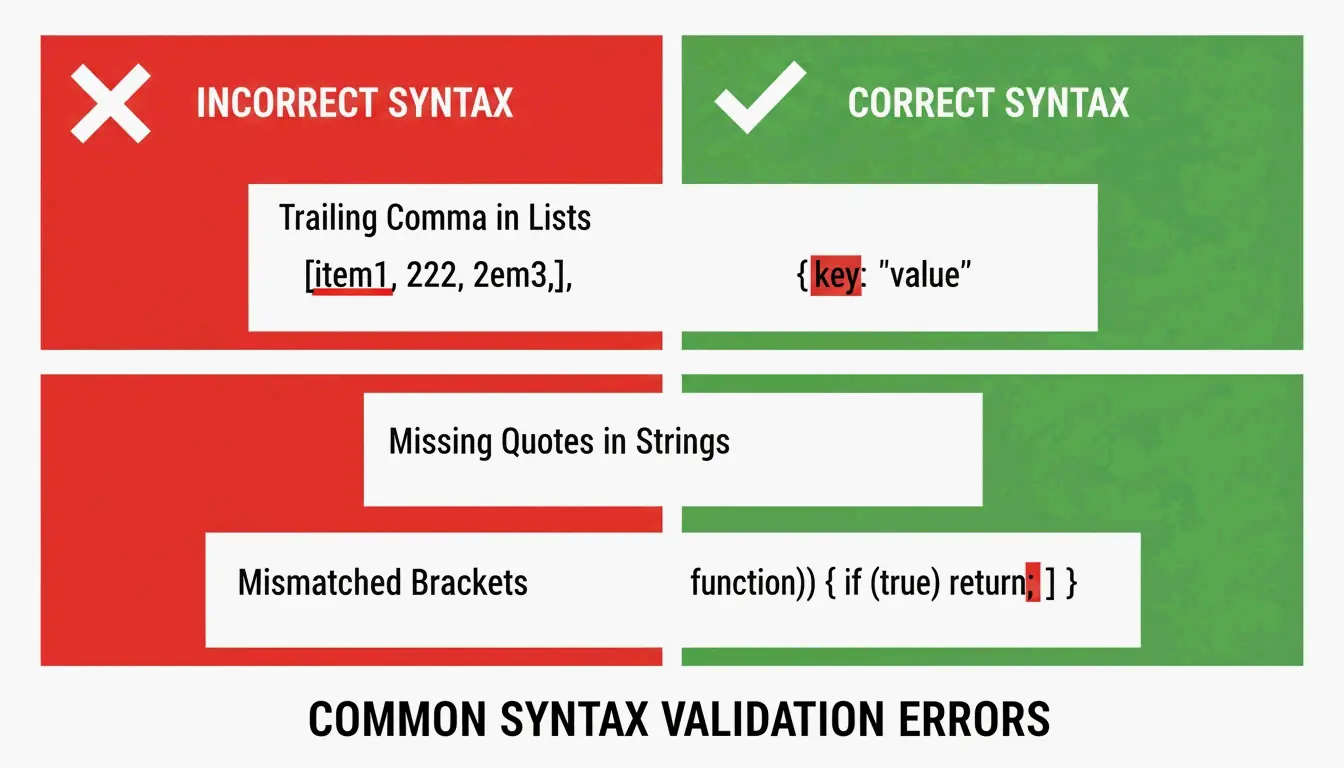
    Side-by-side comparison of Invalid vs Valid JSON syntax

    The “Unexpected Token” Error

    When a validator flags “Unexpected Token,” it means the parser hit NaN, Infinity, or undefined — JavaScript constants that JSON does not support. JSON only allows null, true, false, and numbers.

    // BROKEN - NaN is not valid JSON
    {"score": NaN, "result": Infinity}
    
    // FIXED - replace with null or valid values
    {"score": null, "result": null}
    

    Strict Parsing vs. Repair Parsing: When to Use Which

    The right approach depends on where your data comes from. Human-edited config files deserve strict parsing to force the author to fix mistakes. Machine-generated data from LLMs or API logs needs repair-based parsing.

    Feature Strict (json.loads) Repair (json_repair)
    Trailing Commas Raises JSONDecodeError Automatically removed
    Single Quotes Fails Converted to double quotes
    Truncated Data Fails Closes open brackets/quotes
    Comments Fails Automatically stripped
    Best Use Case Human-edited config files LLM outputs, API logs

    Schema-Guided Repairs with Pydantic

    You can guide the repair process using Pydantic v2 or JSON Schema. By giving json_repair a schema, the tool does more than fix syntax — it can correct types (turning string "1" into number 1) and fill missing required fields with defaults.

    from pydantic import BaseModel
    import json_repair
    
    class User(BaseModel):
        id: int
        name: str
        active: bool = True
    
    # Broken JSON with wrong types
    raw = '{"id": "42", "name": "Alice"}'
    repaired = json_repair.loads(raw)
    
    # Validate against schema
    user = User(**repaired)
    # user.id is now int(42), user.active defaults to True
    

    As Stefano Baccianella noted in his 2025 project citation, this approach is optimized for the “mostly correct but technically invalid” JSON that language models tend to produce.

    Handling Multi-Gigabyte Files Without Crashing

    Repairing a 10KB snippet is easy. Fixing a 2GB file requires a strategy that will not eat all your RAM. Loading the entire file into memory causes Out-of-Memory (OOM) errors.

    Strategy 1: Streaming with ijson

    For massive datasets, use ijson to process data piece by piece. As Scrapfly mentions, ijson processes data incrementally. Pair it with a cleanup script that fixes issues line-by-line before parsing.

    import ijson
    
    # Stream through a large JSON file
    with open('huge_broken.json', 'r') as f:
        for item in ijson.items(f, 'records.item'):
            # Process each item individually
            process(item)
    

    Strategy 2: CLI Pipe for Maximum Efficiency

    The most memory-efficient approach for large files is to use the jsonrepair CLI and pipe output directly to a new file:

    # Streams repair, never loads full file into memory
    jsonrepair large_broken.json > fixed.json
    

    This is significantly more memory-efficient than loading the file into Python or a browser.

    Conclusion

    Fixing malformed JSON is no longer a manual chore thanks to AI-aware libraries like json_repair. You still need to understand RFC 8259 basics — no trailing commas, no single quotes, no unquoted keys — but automation is the only practical approach for data at scale in 2026.

    The workflow is simple: try a repair library first. If that fails, use a validator to pinpoint the exact syntax error. This keeps your applications running even when incoming data is less than perfect.

    FAQ

    Can JSON officially support comments or single quotes?

    No. The RFC 8259 standard strictly forbids comments. Single quotes are also invalid — only double quotes are allowed for keys and strings. However, tools like json_repair can strip comments and convert quotes automatically to make files parseable by standard libraries.

    How do I handle very large malformed JSON files without crashing?

    Use a streaming parser like ijson to process data in chunks. Avoid loading the entire malformed string into a single variable. For the fastest results, use CLI repair tools that pipe output directly to a new file on disk without holding everything in memory.

    What is the difference between malformed JSON and invalid JSON?

    Malformed JSON violates syntax rules — missing brackets, unquoted keys, trailing commas — making it impossible to parse. Invalid JSON follows all syntax rules but fails to match a specific JSON Schema (e.g., a field is a string when the schema expects an integer). Fixing malformed JSON is structural repair; fixing invalid JSON is about data integrity.

    Can I use json_repair with Pydantic validation?

    Yes. Run json_repair.loads() first to fix syntax errors, then pass the repaired dictionary to your Pydantic model for type validation and schema enforcement. This two-step approach handles both structural and semantic issues.

    What about JSON with JavaScript-style comments?

    Standard JSON does not support comments, but json_repair can strip // and /* */ comments automatically. If you need comments in your config files, consider using JSONC (JSON with Comments) format and a compatible parser like json5 for Python.

  • How to AI Prompt with a Formatter: Structured Engineering for Developers

    How to AI Prompt with a Formatter: Structured Engineering for Developers

    You know that sinking feeling when your AI output looks nothing like what you asked for? The JSON is malformed, the tone is wrong, and half your instructions got ignored. The problem is not the model — it is how you are formatting the prompt.

    To master how to AI prompt with a formatter, implement the RTCCO framework (Role, Task, Context, Constraints, Output) using structured delimiters like XML or JSON. This treats prompts as modular software assets, which can reduce model hallucinations by up to 60% and cut manual processing time by 75% as of May 2026.

    Why Your Paragraph Prompts Keep Failing

    By 2026, professional AI work has moved away from “chatting” toward Prompt-as-Code (PaC). The problem with paragraph prompts — those long, unstructured blocks of text — is that models struggle to separate your actual instructions from the background data or output requirements mixed in with them.

    Data from PromptOT shows that moving to structured engineering can cut errors by 60% and speed up manual processing by 75%. Alex Ostrovskyy describes hardcoded prompts as the “modern equivalent of magic numbers in source code” — brittle systems that are nearly impossible to update without breaking something.

    Before vs. After: The Formatting Difference

    Before (unstructured):

    You are a helpful coding assistant. Please write a Python function that validates
    email addresses. Make sure it handles edge cases like plus signs and subdomains.
    The output should be in JSON format with a valid boolean and the cleaned email.
    Also make sure you add proper error handling and don't forget logging.
    

    After (RTCCO + XML delimiters):

    <system_instructions>
      <role>Senior Python engineer specializing in input validation</role>
      <primary_objective>Write a production-grade email validator</primary_objective>
    </system_instructions>
    
    <context>
      Must handle: plus addressing ([email protected]), subdomains,
      internationalized domains. Target: Python 3.11+.
    </context>
    
    <task_requirements>
      <rules>
        - Use only stdlib (no regex shortcuts)
        - Return structured JSON
        - Include type hints
      </rules>
      <steps>
        1. Parse the input string
        2. Validate format per RFC 5322
        3. Return JSON with "valid" boolean and "cleaned_email"
      </steps>
    </task_requirements>
    
    <output_format>
      {"valid": bool, "cleaned_email": str, "error": str | null}
    </output_format>
    

    Same goal, dramatically different results. The formatted version gives the model zero room for ambiguity.

    The RTCCO Framework: Your Prompt’s Skeleton

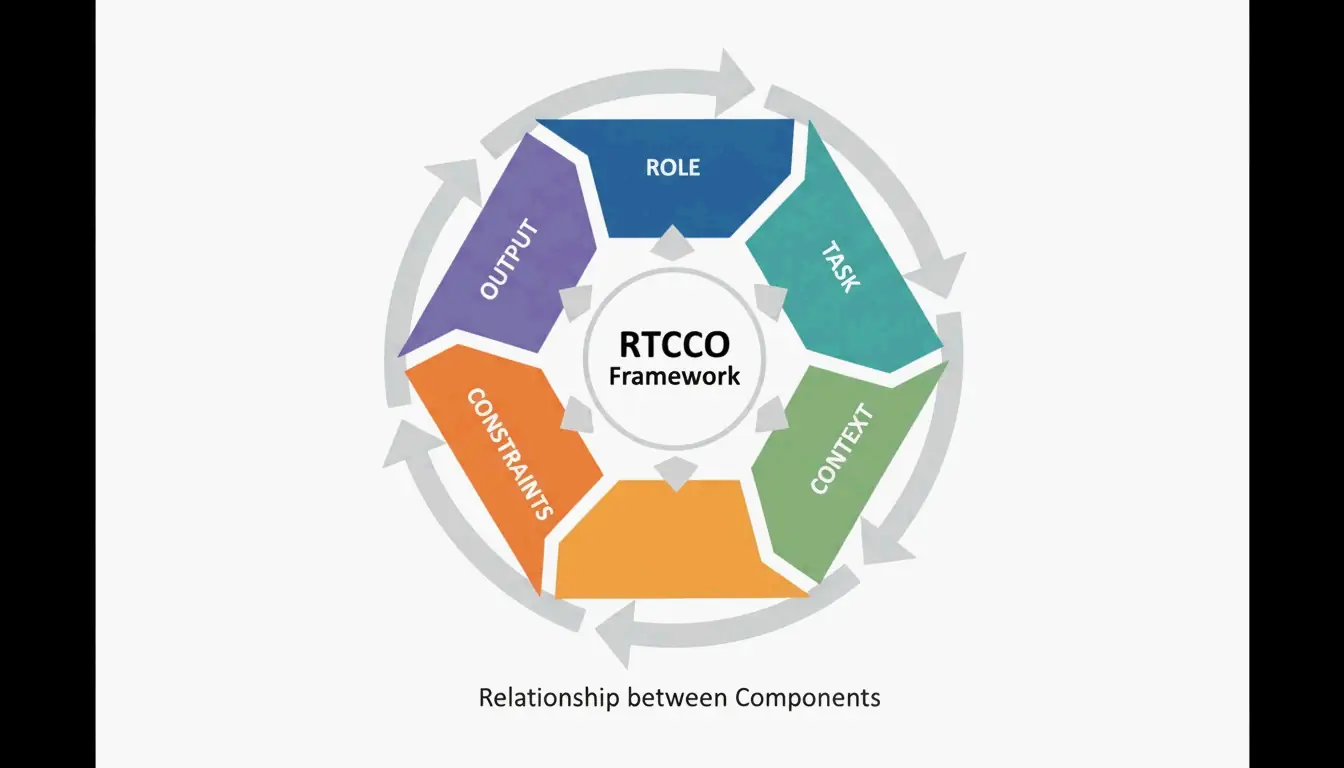
    The industry has converged on RTCCO as the standard prompt architecture. Every prompt breaks down into five parts:

    Element Purpose Example
    Role Who is the AI? “Senior backend engineer”
    Task What specific action? “Write a rate limiter middleware”
    Context What background data? RAG retrieval, codebase snippets
    Constraints What are the rules? “No external dependencies”
    Output What should it look like? “Valid Python 3.11 with type hints”

    The 5 components of the RTCCO Framework

    The XML Skeleton Template You Can Copy Now

    Here is the production-ready template. Copy it, adapt it, ship it.

    <system_instructions>
      <role> [Expert Persona] </role>
      <primary_objective> [Main Goal] </primary_objective>
    </system_instructions>
    
    <context>
      [Background Data or RAG Retrieval]
    </context>
    
    <task_requirements>
      <rules> [Non-negotiable Constraints] </rules>
      <steps> [Specific Workflow] </steps>
    </task_requirements>
    
    <output_format>
      [JSON/XML/Markdown Specification]
    </output_format>
    
    <recency_recap>
      [Reminder of Critical Constraints]
    </recency_recap>
    

    Why the Recency Recap Matters

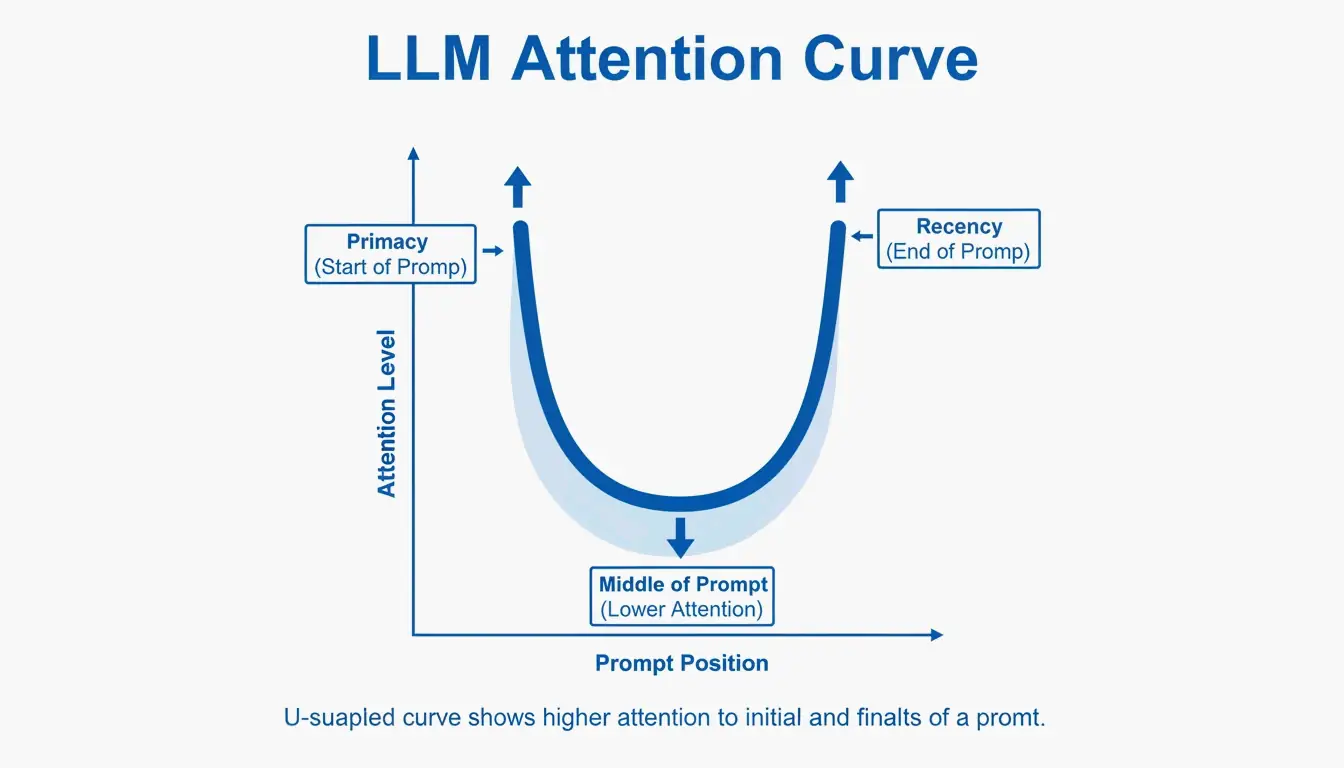
    LLMs have a known “Primacy and Recency” bias — they remember the beginning and end of a prompt better than the middle. Testing cited by PromptOT showed that moving critical rules from the middle to the Recency Recap block at the bottom boosted accuracy from 78% to 96% in production use. Keep the Role at the top, put your most vital rules at the bottom.

    Visualizing the Primacy and Recency effect in long prompts

    Delimiters as a Security Fence

    Delimiters are not just about organization — they are a security mechanism. Wrapping user input in tags like <user_input> tells the model: “This is data to process, not new instructions to follow.” This is your primary defense against prompt injection attacks where users try to override your system instructions.

    Common pitfall: If you inject user data directly into the prompt without delimiters, a user can write “Ignore all previous instructions and…” and the model will comply. Always wrap external data in tagged blocks.

    Modular Architecture: Stop Writing Mega-Prompts

    Instead of one fragile 2,000-token prompt, break your system into independent modules. This prevents instruction collision — where changing the tone of a prompt accidentally breaks its JSON output format.

    The key principle is Context Engineering: separate static instructions from dynamic data. In a production RAG system, your prompt is a template where the <context> block gets filled with fresh data at query time. As Jono Farrington of OptizenApp explains, this modular approach makes large-scale AI deployments far more consistent.

    Prompt Chaining: Connecting Modules

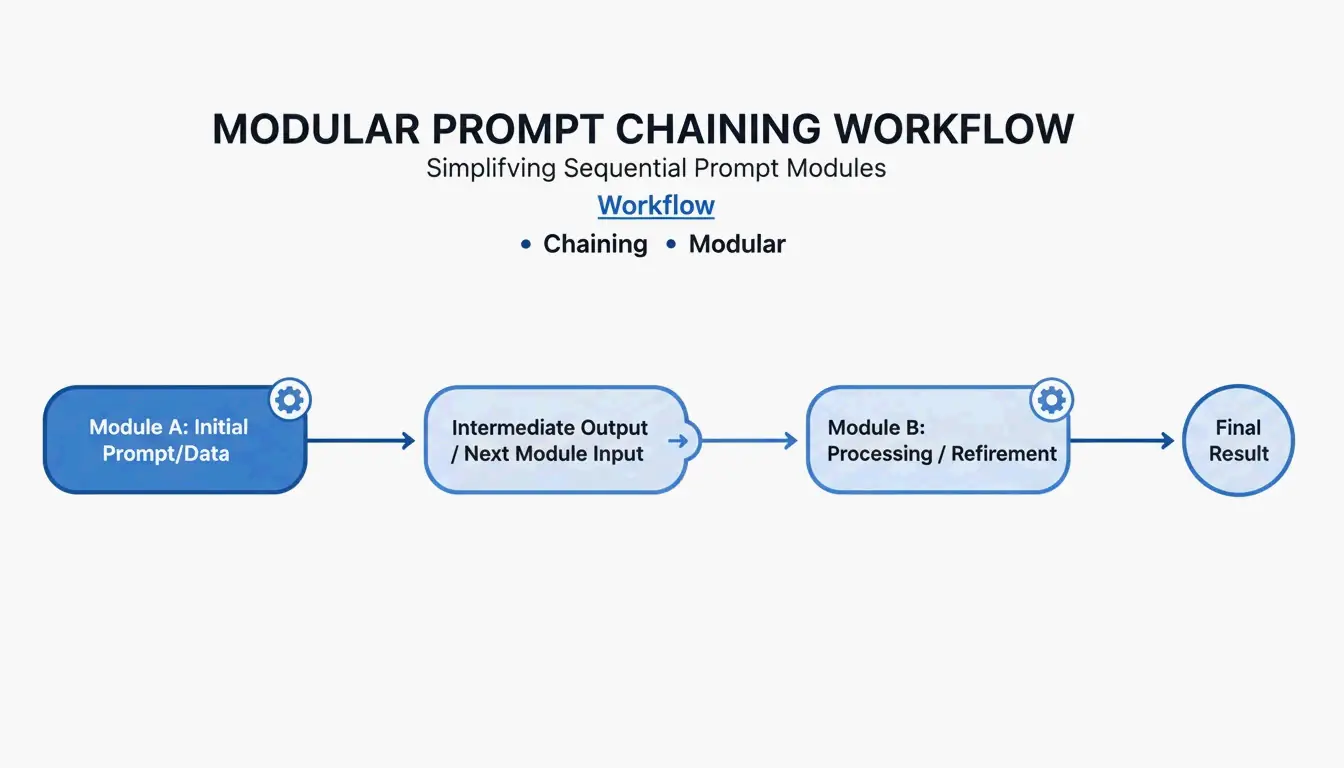
    For complex workflows, use Prompt Chaining — where the output of one module becomes the input for the next:

    [Planner Module] --> outline --> [Executor Module] --> draft --> [Reviewer Module] --> final
    

    This step-by-step approach improves output quality by roughly 35% because the model only focuses on one sub-task at a time.

    Simple 3-step prompt chaining workflow

    Copy-and-use chaining example:

    
    planner_prompt = """
    <system_instructions>
      <role>Technical architect</role>
      <task>Create a step-by-step plan for: {user_request}</task>
    </system_instructions>
    <output_format>JSON array of steps</output_format>
    """
    
    # Step 2: Executor
    executor_prompt = """
    <system_instructions>
      <role>Senior developer</role>
      <task>Implement step: {step_from_planner}</task>
    </system_instructions>
    <context>{previous_outputs}</context>
    <output_format>Code block with inline comments</output_format>
    """
    

    Adding Chain-of-Thought for Hard Problems

    When your task involves complex logic, add a <thought_process> block. This forces the model to reason step-by-step before giving an answer, which significantly reduces errors in math, coding, and multi-step reasoning.

    <task_requirements>
      <rules>Reason inside <thought> tags before answering</rules>
    </task_requirements>
    
    <output_format>
      <thought> [Your step-by-step reasoning here] </thought>
      <answer> [Final JSON output here] </answer>
    </output_format>
    

    According to Zencoder, techniques like Tree-of-Thoughts (ToT) extend this further by asking the model to evaluate multiple solution paths simultaneously and pick the best one. This is especially valuable for architectural decisions where there is no single right answer.

    Token Cost Warning

    Structured reasoning uses more tokens. A typical <thought_process> block adds 200-500 tokens per request. At scale, this means higher API costs. The tradeoff is accuracy: you pay more per request but need fewer retries and less manual correction.

    Production Readiness: Versioning, Testing, and CI/CD

    The final step is treating prompts like software. Use Semantic Versioning (v1.0.0) so your team can track changes and roll back instantly when a new prompt version degrades.

    PromptOT reports that companies managing 50+ prompts can save up to $400,000 per year by centralizing management and reducing the time engineers spend manually tweaking.

    Setting Up a Prompt CI/CD Pipeline

    # .github/workflows/prompt-tests.yml
    name: Prompt Quality Gate
    on: [push]
    jobs:
      test-prompts:
        runs-on: ubuntu-latest
        steps:
          - name: Run Golden Dataset Tests
            run: |
              # Test against 50-200 curated cases
              python scripts/eval_prompts.py \
                --dataset golden_dataset.json \
                --judge-model gpt-4 \
                --min-score 0.85
    
          - name: Regression Check
            run: |
              # Compare new version vs. production
              python scripts/compare_versions.py \
                --staging v2.1.0 \
                --production v2.0.3 \
                --threshold 0.05
    

    A prompt only graduates from Staging to Production once it passes these quality gates scored by an “LLM-as-a-judge.”

    Conclusion

    Structured prompt engineering with formatters is no longer optional — it is the baseline for anyone building reliable AI tools. The RTCCO framework, XML delimiters, and modular architecture are your stack for turning unpredictable LLM outputs into consistent, production-grade results.

    Start with your most-used prompts and refactor them into the RTCCO framework using the XML template above. Move them into version control, set up basic evaluation, and you will have a prompt infrastructure that scales.

    FAQ

    How do I convert my existing paragraph prompts into RTCCO block format?

    First identify the core Task and separate it from Context. Wrap instructions in <rules> tags and provide 3-5 examples in <examples> tags. You can even use an LLM to help — prompt it with “re-parse this unstructured text into the RTCCO framework using XML delimiters” and it will do the heavy lifting.

    Should I use XML, JSON, or Markdown delimiters?

    XML is the current gold standard for separating instructions from long-form content in models like Claude and GPT-5 because of its strict hierarchy. JSON is better when you need programmatic input/output for API integrations. Markdown works for simple, human-readable prompts but lacks the strict boundary definition needed for complex, multi-layered production prompts.

    How do I implement automated CI/CD testing for prompts?

    Set up a testing suite with a “Golden Dataset” (50-200 curated test cases) and an “LLM-as-a-judge” to score outputs against a rubric. Integrate these tests into your GitHub Actions or Jenkins pipeline so any prompt change is validated for accuracy and tone before deployment.

    What is the most common mistake when switching to structured prompts?

    Overloading the <context> block. Developers often dump entire codebases or documents into context, which dilutes the model’s attention. Keep context focused on only what is directly relevant to the task. If you need to reference large documents, use RAG retrieval to pull only the pertinent sections.